Логотип study.krivoshein.site
Shortcuts
←/→ or PgUp/PgDn: navigate · S auto · ? help · Home/End first/last

Practical Work №2 — Computers and Their Functions

Author: Alexey Krivoshein · Topic: How computers support different job roles and enhance productivity.

01 · What is a computer? 🖥️

A computer is an electronic device that stores, processes, and retrieves information to help people solve tasks.

hardwaresoftwareinput/output

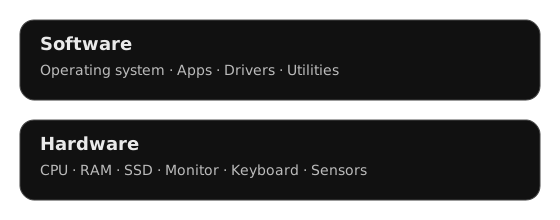
02 · Hardware vs. Software ⚙️🧰

Hardware
Physical parts: CPU, RAM, SSD, monitor, keyboard, sensors.
Software
Programs: operating system, apps, drivers, utilities.
Hardware vs. Software layers

operating systemapp

03 · Networks & the Internet 🌐

Networks connect computers to share data and resources. The Internet enables email, web, cloud services, and collaboration tools.
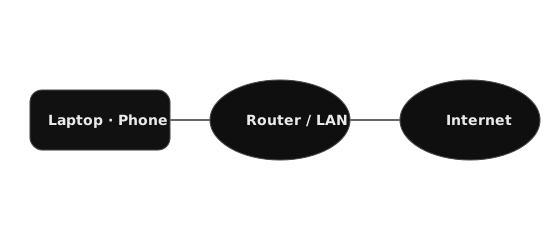
Local network and Internet

networkbandwidthprotocols

04 · Cloud Computing ☁️

Cloud computing delivers storage and computing power on demand, so teams can scale quickly and work from anywhere.

Cloud compute and storage

SaaSIaaSbackup

05 · Data & Databases 🗂️

Databases store, organize, and secure information for apps: customers, orders, logs, analytics.
Relational database (logical view)

databasequerytransaction

06 · Cybersecurity 🔐

Cybersecurity protects systems with passwords, encryption, updates, and access control. Always back up data.

Shielding systems and keys

authenticationencryptionfirewall

07 · Computers in Different Careers 👩‍💻👨‍🔧

Developer
Code, version control, CI/CD, databases.
Designer
Graphics, UI/UX tools, asset management.
Marketing
Analytics, CRM, content planning, social media.
Engineering
CAD, simulation, sensors, automation.

08 · Productivity & Collaboration 🤝

Computers help teams with project planning, instant messaging, video calls, and document sharing to increase productivity.

version controlproject managementautomation

09 · Summary ✅

  • Computers combine hardware and software to perform tasks.
  • Networks and the cloud enable collaboration anywhere.
  • Databases and cybersecurity keep data useful and safe.
  • Across careers, computers boost productivity and quality.

Glossary used: hardware, software, network, cloud computing, database, cybersecurity, backup, productivity, automation.

10 · Best Practices & Recommendations 🧭

  • Back up critical data regularly (3-2-1 rule).
  • Keep OS and apps up to date (automate updates).
  • Use strong passwords + MFA; restrict access (PoLP).
  • Document workflows and use version control.
  • Apply automation for repetitive tasks to boost productivity.